
Get in. It starts.
On an Apple Watch Ultra or Series 10 and later, getting into water starts a round by itself and the water's temperature decides whether it is hot or cold. Every other watch works too, with each round picked by hand.
Sauna and cold plunge, timed from the water.
One session on the watch, then on iPhone. Rounds start on their own on Apple Watch Ultra and Series 10 or later; a sauna round is always one tap. The numbers are sample data.
How the watch knows
Three gates stand between a temperature reading and a round starting, and they are the honest detail behind "it starts itself".
-
01
The reading has to settle
The watch case starts near body temperature and takes several seconds to equalise with the water. Until the uncertainty the sensor reports drops below 1.5 °C, the number on screen is the case rather than the bath, and nothing commits.
-
02
It has to be clearly hot or clearly cold
At or below 20 °C classifies as cold; at or above 33 °C as heat. Between the two is a dead zone that holds whatever phase is already running. Real contrast therapy leaves a wide gap between the two states, so there is no reason to make a fine-grained call.
-
03
Three samples have to agree
A phase change commits only after three consecutive readings say the same thing. One cold splash on a wrist in a hot bath does not start a plunge.
Both thresholds are yours to change in settings. A sauna and a shower never submerge the wrist, so those rounds are always the ones you pick.
Six bands, and the gap between them
Where a workout app shows heart-rate zones, Contrast shows water. Time in each band is counted from the readings themselves, and each sample owns the time until the next one, capped at 15 seconds so a sensor gap cannot inflate a band.
Icy
below 8 °C
Cold
8–13 °C
Cool
13–20 °C
20–33 °C · no band
Warm
33–38 °C
Hot
38–41 °C
Very hot
41 and up °C
Nothing sits between 20 and 33 °C because nobody soaks at 26. That gap is the classifier's dead zone, and leaving it unlabelled is more honest than inventing a band for it.
What you get back
- Heat 46 min
- Cold 9 min
- Rest 21 min
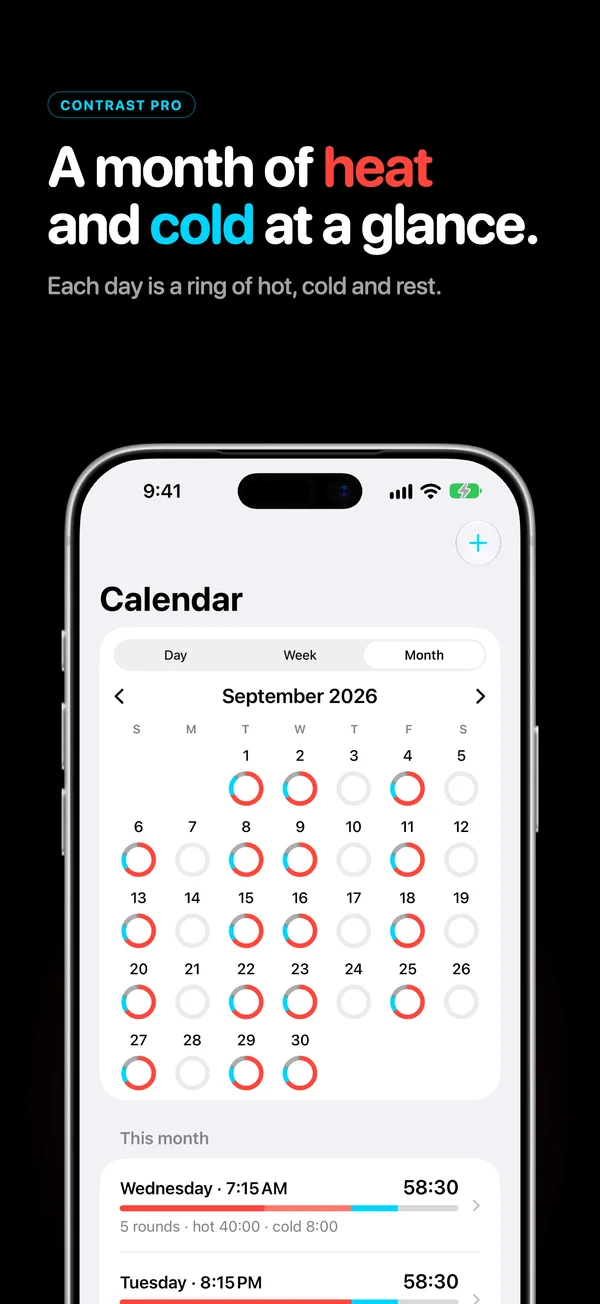
- A calendar of your sessions. Each day is a ring split into hot, cold and rest. Rest is a timed segment, so the minutes between rounds are part of what you did.
- Every session, round by round. What each round was, how long it ran, and the heart rate and water temperature that went with it.
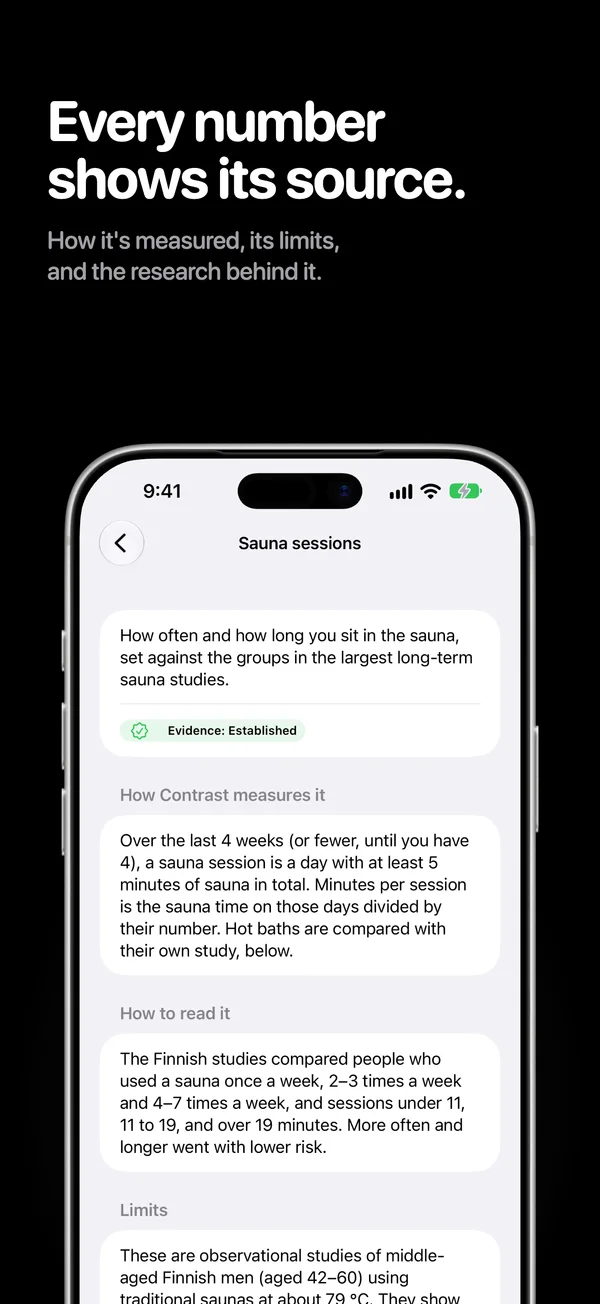
- The method behind every number. How it is measured, what limits it, and the research it rests on.
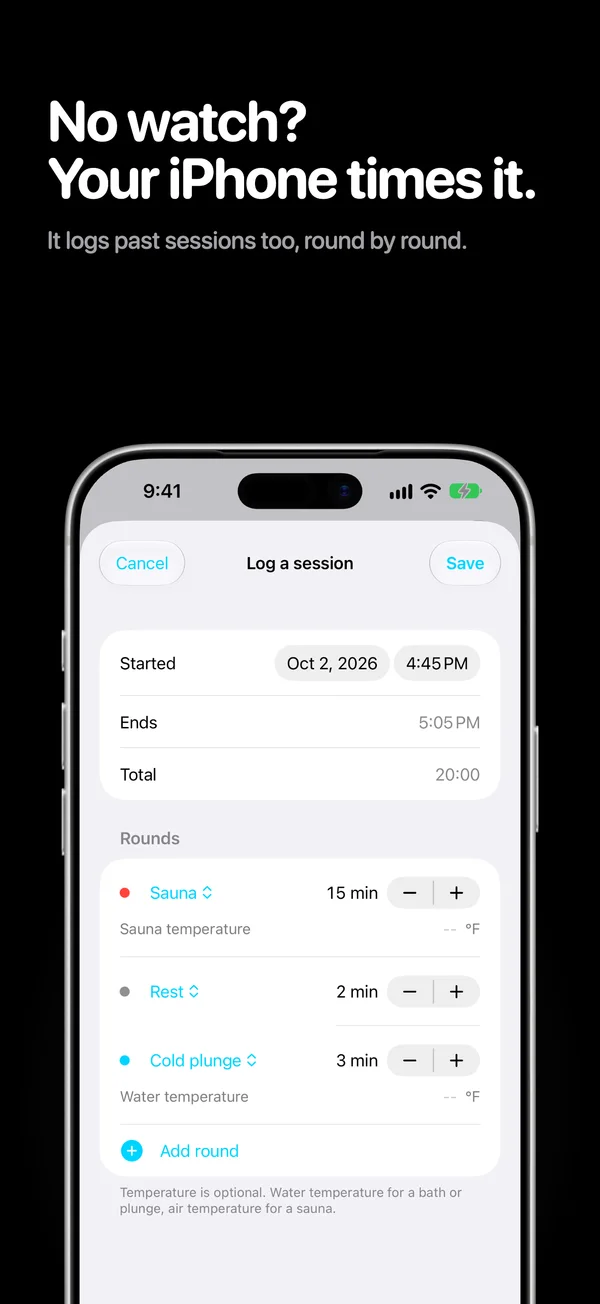
- Logging by hand. The iPhone can time a session, or take one down afterwards, with no watch involved.
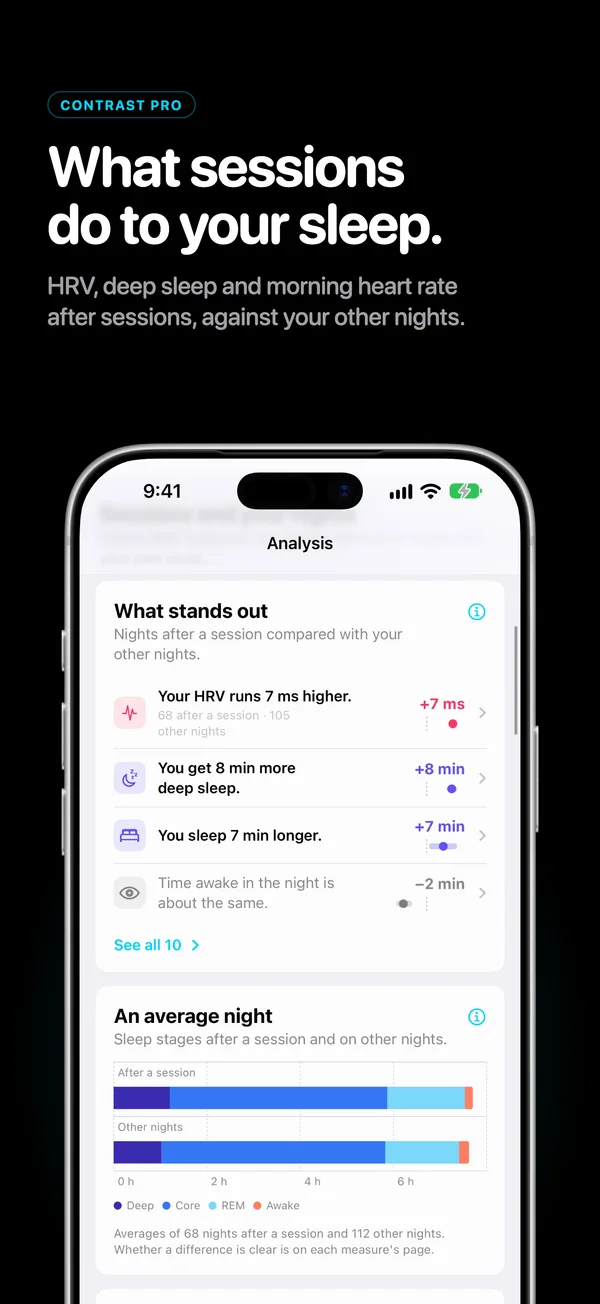
- With Contrast Pro. Heart rate and water temperature charts, nights after a session set beside your other nights, and history older than a week.
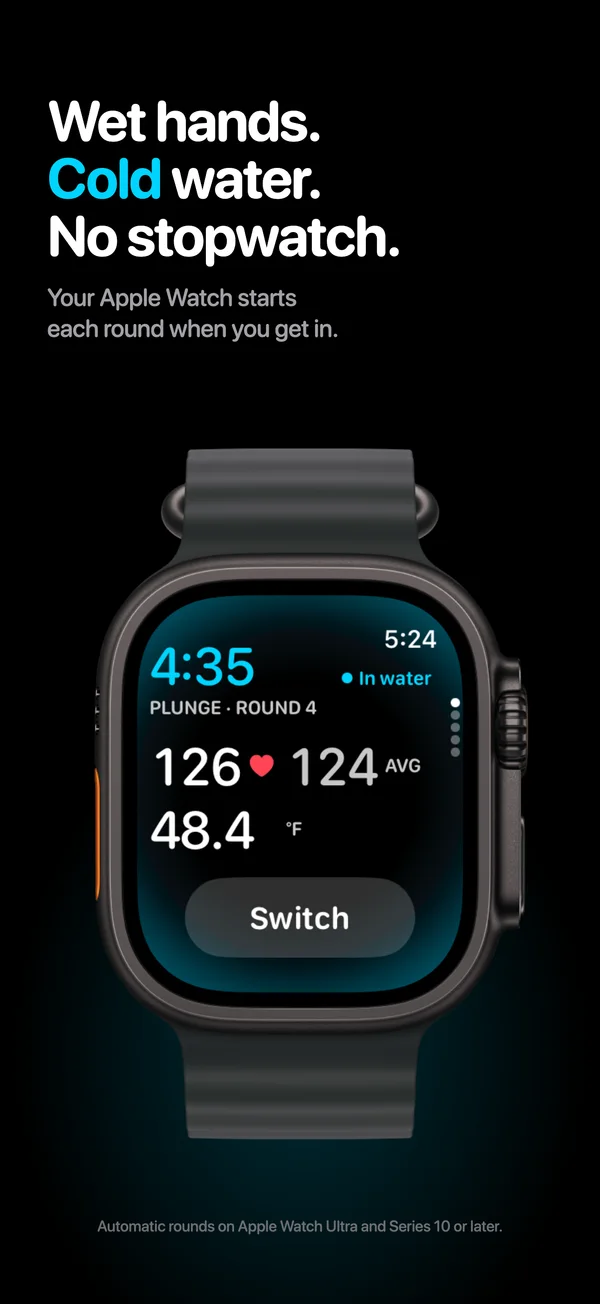
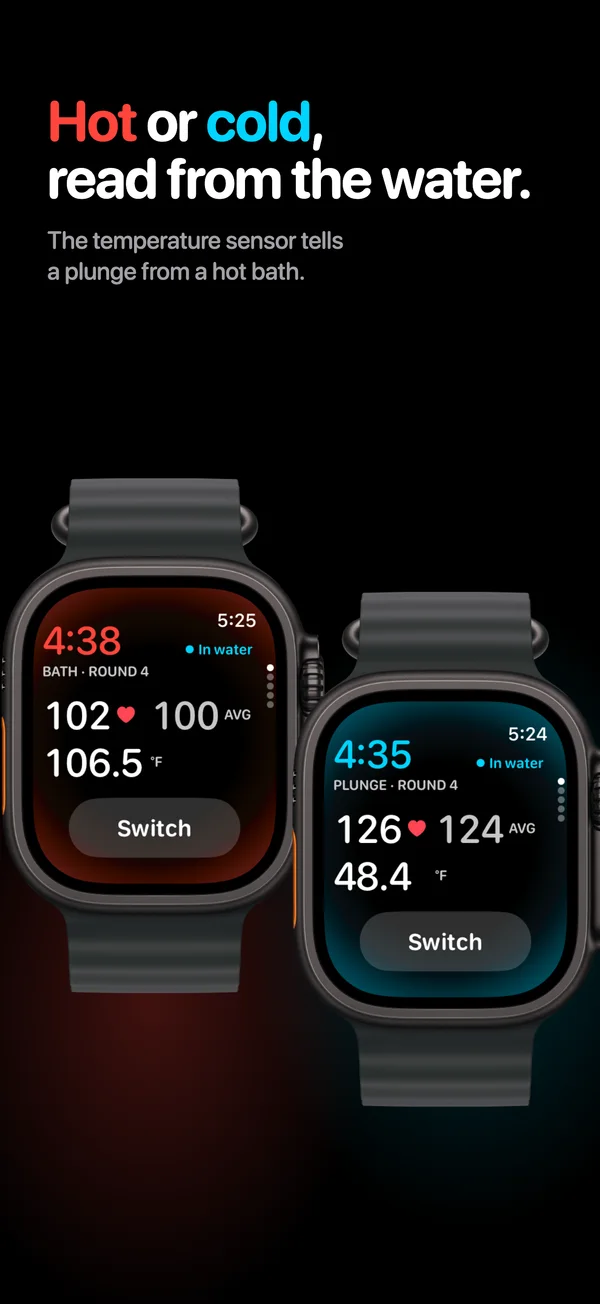
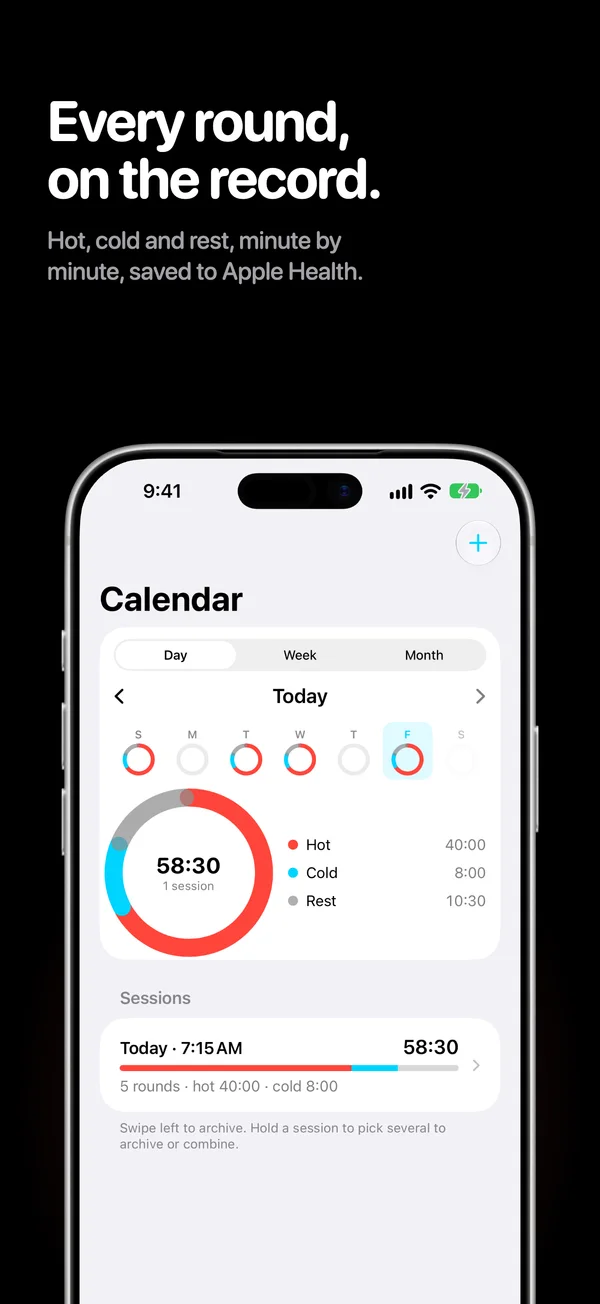
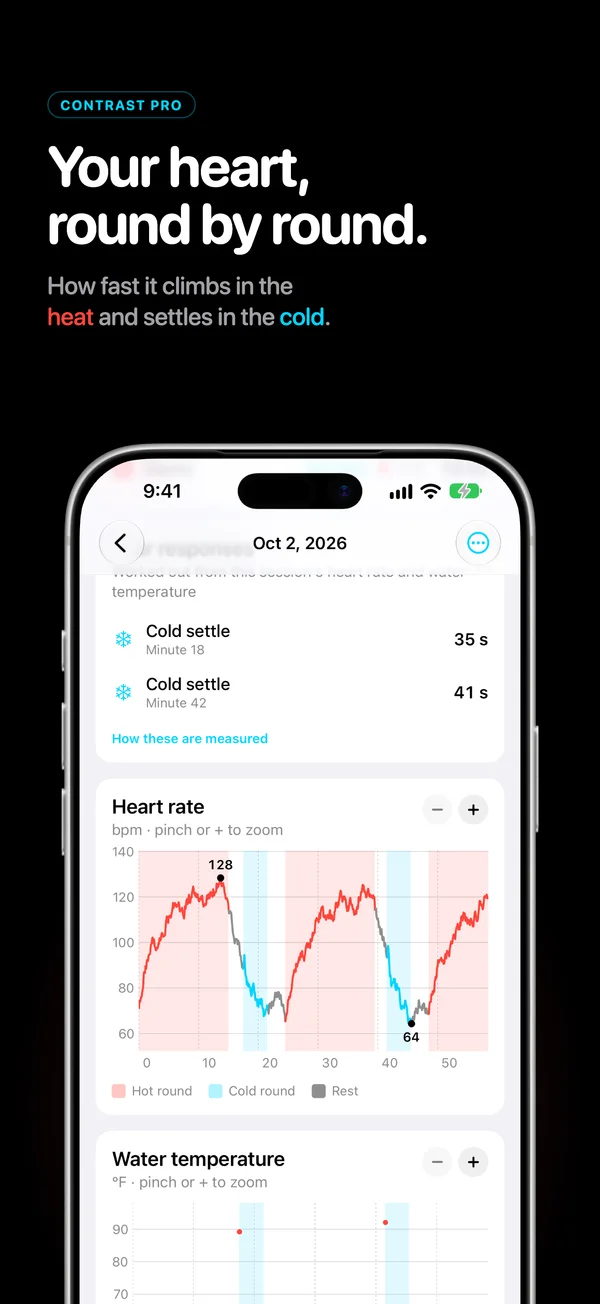
The video and screenshots show sample data.
Every session is also saved to Apple Health as a Cooldown workout, with its heart rate and water temperatures. Contrast keeps its own copy on the iPhone, so a workout deleted from Health stays in your history and can be written back.
Every number says where it came from
Contrast documents 14 metrics. Each carries how it is measured, what moves it that has nothing to do with the thing being measured, and a label for how strong the evidence is. 40 citations ship inside the app.
Established
Measured the same way in published research, with results you can compare against.
Borrowed
Based on research into a closely related measure, applied here to sauna and cold.
Theoretical
Contrast’s own measure. It rests on known physiology but hasn’t been tested in a study, so read it as a personal trend.
Your data
A description of your own sessions and Apple Health data. It shows what goes together for you, not what causes what.
5 of the 14 carry one of the last two labels — measures Contrast invented, or plain descriptions of your own data. Saying so costs nothing and is the only way the other 9 mean anything. Read all 14.
What it will not do
- No calorie count for the sauna. Heat raises heart rate by moving blood to the skin rather than by working muscle, so the usual conversion is wrong. Contrast reports the minutes at moderate and vigorous heart rate and stops there.
- No readiness score. A single composite number hides which input moved it, and a number you cannot decompose is one you cannot check.
- No streaks, badges or notifications urging a session. Cold water carries real risk in the first minute. Nothing here manufactures urgency about getting into it.
- No prescription. The weekly goal presets are named after the studies they come from and the app calls them starting points, not prescriptions.
- Nothing sent anywhere. Sessions stay on your devices and in your own Apple Health and iCloud. Fluctus Limited receives nothing.
Writing
- Hot baths: 30,000 people, 20 years, and one lab trial Almost-daily tub bathing went with 28% lower cardiovascular risk than zero to two a week. A separate trial measured what eight weeks of 40.5 °C baths did.
- The Finnish sauna cohorts, and what they actually found 2,315 men, 20.7 years, and a hazard ratio of 0.37 for the most frequent users. Observational, self-reported once, and not a prescription.
- Then and now: your first three rounds against your latest three Every adaptation measure in Contrast compares three early rounds with three recent ones. Three is a compromise, and it is worth knowing which way it errs.
- The heat adaptation model, and why it tells you to distrust it Each day of heat adds a quarter of what is left to gain, and it fades 2.3% a day after three days off. Contrast's own model, checked against your heart rate.
Free to start
Watch tracking, saving to Apple Health and your weekly totals are free, with no account. Contrast Pro adds your full history, the charts and the full Analysis tab.
Comparing apps: the best tracker apps in 2026, alternatives to other apps and who Contrast is for.